[카테고리:] AI Tools

  • AI Data Centers & Natural Gas: The Energy Crisis

    The artificial intelligence boom is creating an unprecedented energy crisis. As companies like OpenAI, Anthropic, and others race to build increasingly powerful AI systems, their data centers are consuming staggering amounts of electricity. To meet this demand, major tech firms are turning to a surprising solution: constructing massive natural gas power plants specifically designed to fuel their computational infrastructure. This trend raises critical questions about sustainability, environmental impact, and whether this energy strategy is viable long-term. Understanding the relationship between AI development and energy consumption has become essential for anyone interested in the future of technology and climate change.

    The Energy Demands of Modern AI Systems

    Training and running large language models requires computational power on a scale most people find difficult to comprehend. A single training run for advanced AI models can consume as much electricity as thousands of homes use in a year. Companies like OpenAI, which recently shuffled its executive team with Brad Lightcap taking on special projects, are expanding their infrastructure at breakneck speed. The computational demands don’t stop after training—inference, the process of actually using these models to generate responses, also demands continuous power. This creates a self-perpetuating cycle where more users and more AI applications require more servers, more cooling systems, and more electricity.

    The traditional power grid, reliant on renewable sources and aging infrastructure, cannot keep pace with this demand. In many regions, existing electrical capacity is already stretched thin. Tech companies face a choice: either slow their AI expansion or secure dedicated power sources. Most are choosing the latter, and natural gas has emerged as their preferred solution because it’s relatively quick to deploy, reliable, and capable of providing consistent baseload power that solar and wind cannot yet match at the required scale.

    Why Natural Gas? The Tech Industry’s Energy Choice

    Natural gas plants offer several advantages that make them attractive to AI companies racing to scale up their operations. Unlike renewable energy sources, which are intermittent and weather-dependent, natural gas plants provide consistent, on-demand power 24/7. For data centers that must maintain constant operation, this reliability is crucial. Additionally, constructing a new natural gas facility, while still a multi-year project, is faster than developing sufficient renewable infrastructure or waiting for grid upgrades. Tech companies operating with aggressive timelines cannot afford to wait.

    From a financial perspective, natural gas is also relatively cost-effective compared to other options. While companies like Anthropic are making strategic acquisitions—such as their $400 million purchase of biotech startup Coefficient Bio—they’re still focused on controlling operational costs. Natural gas allows them to lock in energy prices and avoid the fluctuating costs of purchasing power from public utilities. However, this pragmatic approach comes at a significant environmental cost that critics argue tech companies are conveniently overlooking in their rush to dominate the AI market.

    The Environmental and Climate Implications

    The expansion of natural gas infrastructure specifically to power data centers represents a massive step backward for climate goals. Natural gas is a fossil fuel that produces significant carbon emissions when burned. Every megawatt generated from natural gas contributes to greenhouse gas accumulation in the atmosphere. The irony is stark: companies developing AI technology, often marketed as solutions to complex problems including climate change, are simultaneously driving increased fossil fuel consumption. This contradiction hasn’t gone unnoticed by environmental advocates and climate scientists who warn that this trend could undermine decades of progress toward renewable energy adoption.

    Moreover, the long-term commitment these plants represent is troubling. A natural gas power plant built today will likely operate for 30-40 years, locking in fossil fuel dependence well into an era when climate concerns should make such infrastructure obsolete. As countries and corporations commit to net-zero targets and carbon neutrality goals, building new natural gas plants to power AI systems creates a fundamental misalignment between stated environmental commitments and actual business practices. The gig workers training humanoid robots at home may not realize their training data is being processed by power generated from fossil fuels, yet that’s increasingly the reality.

    Potential Solutions and the Road Ahead

    Several alternatives exist that could reduce AI’s reliance on natural gas, though each presents its own challenges. Scaling up renewable energy infrastructure—solar, wind, and advanced geothermal—could theoretically power data centers, but requires massive upfront investment and years of development. Some companies are exploring placing data centers in locations with abundant hydroelectric power or other renewable resources, though this creates geographical constraints. A few forward-thinking firms are experimenting with nuclear power, including small modular reactors (SMRs), which could provide clean, dense power for data center clusters.

    Tech companies could also optimize their AI models for energy efficiency, reducing the computational power required to achieve the same results. This approach would require prioritizing sustainability over raw performance capabilities—a difficult sell in an industry obsessed with scaling. Data governance and autonomous AI systems governance, as highlighted in discussions about KiloClaw’s shadow AI monitoring, could also play a role in reducing wasted computation and improving overall efficiency. The challenge remains one of incentives: as long as companies can externalize environmental costs and prioritize growth, fundamental efficiency improvements may remain secondary priorities.

    What This Means for the Future of AI

    The natural gas data center trend reveals a critical flaw in how the AI industry currently operates. Despite its transformative potential, AI development is proceeding without fully accounting for environmental costs. The recent executive changes at OpenAI and the growing influence of companies like Anthropic in policy (evidenced by their new PAC activities) suggest that tech leadership is beginning to engage with regulatory questions. However, energy policy remains largely absent from these discussions, representing a significant blind spot.

    As AI systems become increasingly powerful and ubiquitous, their energy footprint will only grow. The decisions made today about power infrastructure will have consequences extending decades into the future. Stakeholders—from investors to policymakers to users—should demand that AI companies commit to renewable energy timelines and transparency about their environmental impact. The current trajectory, where companies build natural gas plants to power AI ambitions, is ultimately unsustainable. The industry must recognize that true innovation includes developing AI responsibly, within environmental boundaries, rather than pursuing capability at any cost.

    The conversation about AI data centers and natural gas is ultimately about priorities and values. Will the technology industry continue prioritizing growth and capability over environmental stewardship, or will it embrace the harder path of sustainable innovation? The answer will shape not just the future of AI, but the climate and energy landscape for generations to come.


  • 5 Ways AI Agents Can Run Your Business While You Sleep

    5 Ways AI Agents Can Run Your Business While You Sleep

    You hired your first employee to take work off your plate. Then you hired more. But at some point, every founder hits the same wall: there are only so many hours in a day, and only so much you can delegate to humans before costs explode.

    That’s exactly the gap AI agents are stepping into in 2026.

    Not chatbots. Not simple automation. We’re talking about systems that can plan, decide, and execute multi-step tasks — on their own — while you’re in a meeting, on a flight, or asleep.

    Here’s what that actually looks like for your business.


    What Makes an AI Agent Different from a Chatbot?

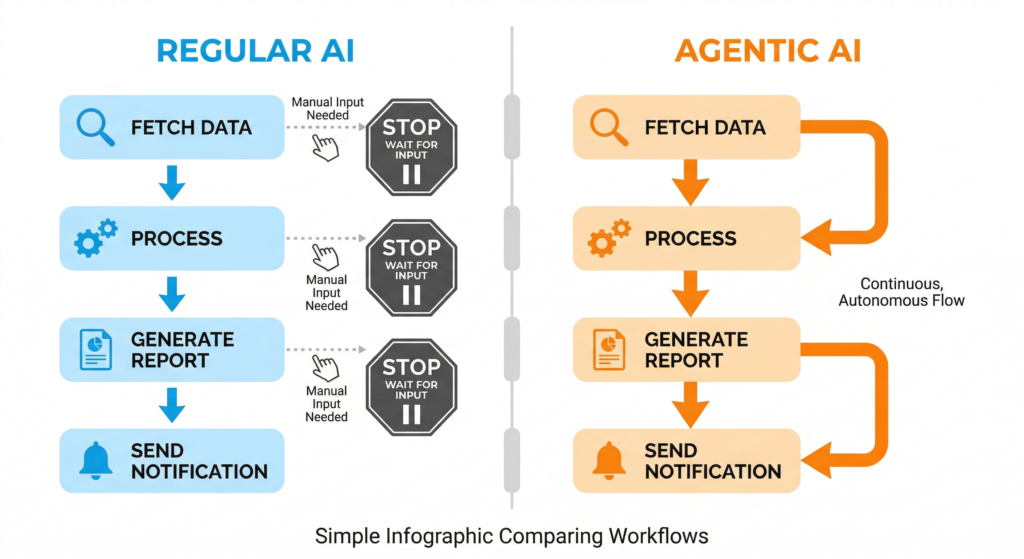
    AI agents for business — comparison of chatbot versus AI agent workflow

    Before diving in, let’s clear up the confusion — because a lot of tools are misusing the word “agent” right now.

    A chatbot answers questions. You ask, it responds. The conversation ends there.

    An AI agent is different: it takes a goal, breaks it into steps, uses available tools, and works toward completing the task with some level of autonomy. A chatbot might explain how to research competitors. An agent will actually collect competitor pages, summarize them, compare pricing, and prepare a report. Labla

    Think of it this way: a chatbot is a very smart search box. An AI agent is closer to a junior employee who can actually do the work.


    Why 2026 Is the Year Business Owners Should Pay Attention

    The numbers are hard to ignore. The AI agent market reached $7.6 billion in 2025 and is projected to grow at 49.6% annually through 2033. DataCamp And it’s not just big enterprises anymore.

    IDC expects AI copilots and agents to be embedded in nearly 80% of enterprise workplace applications by 2026, reshaping how teams work, decide, and execute. Salesmate

    More importantly, the tools are finally accessible. You don’t need a developer on staff to experiment. No-code platforms and pre-built agent workflows are making this realistic for small and mid-sized businesses right now.


    5 Real Ways AI Agents Can Work for Your Business

    1. Customer Support — Without the 9-to-5 Constraint

    AI agents for business — automated customer support running overnight on mobile

    This is probably the fastest ROI for most business owners.

    While chatbots handle basic Q&A, agents can automate the entire support workflow — from the initial inquiry all the way to issuing refunds, updating customer records, and managing orders — without human input on routine cases. Bernard Marr Your human team then focuses on the complex, sensitive tickets that actually need judgment.

    A customer emails at 2am asking about a return. The agent checks the order history, confirms eligibility, initiates the process, and sends a confirmation — all before you wake up.

    2. Lead Generation and Sales Follow-Up

    Here’s a painful truth: most businesses lose deals not because their product is bad, but because follow-up is slow or inconsistent.

    AI agents can autonomously identify leads, qualify them, and schedule follow-ups entirely on their own Mean CEO’s BLOG — based on rules you define once. Respond within 5 minutes, always. Follow up three times, automatically. Move warm leads into your CRM. Flag hot prospects for a human call.

    You set the playbook. The agent runs it, every time, without forgetting.

    3. Marketing That Runs on a Schedule (Not Your Energy)

    AI agents for business — AI drafting scheduled marketing content on laptop

    Content marketing is one of the biggest time drains for founders. Writing, scheduling, repurposing — it never ends.

    Businesses are already deploying content agents that draft social posts and blog articles in the company’s specific brand voice based on weekly themes, alongside data agents that monitor market trends and competitor moves 24/7, delivering insight reports automatically. Gappsgroup

    You review and approve. The agent does the grunt work.

    4. Business Intelligence — Decisions Backed by Data, Not Gut

    An AI agent can analyze market conditions, competitor data, and internal metrics to recommend pricing strategies or expansion opportunities Antier Solutions — the kind of analysis that used to require a consultant or a full data team.

    Imagine getting a weekly summary every Monday morning: here’s how your top 3 competitors changed their messaging this week, here’s what your best-performing product SKU looks like vs. last month, here’s a pricing recommendation based on current market signals.

    That’s not science fiction in 2026. That’s a buildable workflow.

    5. Operations: The Admin Work That Eats Your Week

    Invoices, scheduling, supplier follow-ups, internal reporting — none of it is hard, but all of it takes time.

    AWS has already rolled out AI agents specifically for DevOps and operational tasks Mean CEO’s BLOG, and similar lightweight tools are now available for non-technical business owners. Document processing, contract review flagging, inventory alerts — these are exactly the kinds of structured, repetitive workflows where agents deliver immediate value.


    The One Mistake to Avoid

    The biggest trap business owners fall into is trying to automate everything at once.

    The companies getting real value from AI agents are usually not starting with grand visions. They start with one workflow and expand from there. Labla

    Successful deployments focus on specific, well-defined domains rather than attempting enterprise-wide automation. Deloitte Insights Pick the task that’s most repetitive, most time-consuming, and most clearly defined. Get that working first. Then scale.

    According to PwC, technology delivers only about 20% of an initiative’s value — the other 80% comes from redesigning the workflow around what the agent handles. PwC That means thinking through how work gets done, not just plugging in a tool.


    Where to Start This Week

    You don’t need a massive budget or a technical co-founder to get started. Here’s a practical first step:

    Pick one recurring task in your business that:

    • Happens at least weekly
    • Follows a predictable pattern
    • Currently takes 30+ minutes

    That’s your first agent candidate. Tools like Zapier Agents, Make (Integromat), or n8n let you build simple agent-like workflows without writing code. For more robust setups, platforms like Microsoft Copilot Studio offer enterprise-grade agent deployment.

    In 2026, the question is no longer whether AI agents matter. The real question is which tasks in your work are structured enough, repetitive enough, and valuable enough to hand off first — because that’s where the first serious gains happen. Labla


    The Bottom Line

    AI agents aren’t going to run your entire company. Not yet. But they can handle the predictable, repetitive, time-consuming parts of it — which, if you’re honest, is probably a bigger chunk of your week than you’d like.

    Start small. Pick one workflow. See what it feels like to have that task just… handled.

    Which part of your business would you hand off first? Drop it in the comments — we’d love to hear what’s eating your week.

  • What Is GEO? How to Get Your Brand Found by AI Search in 2026

    What Is GEO? How to Get Your Brand Found by AI Search in 2026

    You’ve spent years getting your website to rank on Google. Your traffic is solid. Things feel stable.

    Then one day you notice something: people aren’t clicking through to websites the way they used to. They’re asking ChatGPT. They’re using Perplexity. They’re reading the AI-generated answer at the top of Google and moving on — without ever clicking your link.

    That’s not a glitch. That’s the new reality of search. And there’s a name for the strategy that helps you stay visible in it: Generative Engine Optimization, or GEO.


    What Is Generative Engine Optimization (GEO)?

    GEO vs SEO 2026 — search list vs AI answer concept

    GEO is the practice of optimizing content to be cited by AI search engines — ChatGPT, Perplexity, Google AI Overviews, Gemini, and Claude. As traditional SEO click-through rates decline and AI systems answer queries directly, GEO is becoming as important as SEO was in the early 2010s. Enrichlabs

    Think of it this way: traditional SEO gets you ranked in a list of links. GEO gets you quoted inside the AI’s answer.

    When someone asks ChatGPT, Perplexity, or Google’s AI Mode a question about your industry, GEO determines whether your content influences that answer — or whether a competitor’s does. Geoptie

    You might also see it called AEO (Answer Engine Optimization), LLMO (Large Language Model Optimization), or AIO (AI Optimization). The terminology varies, but they all describe the same goal: get your content cited by AI. Frase


    Why Does GEO Matter in 2026?

    The numbers make the case fast.

    ChatGPT now serves over 800 million weekly active users. Google’s Gemini app has surpassed 750 million monthly users, with an additional 2 billion encountering Gemini through AI Overviews in Google Search. Perplexity has grown to more than 45 million monthly active users. Coseom

    And here’s the critical stat: Gartner predicts traditional search engine volume will drop 25% by 2026, with AI chatbots and virtual agents capturing that share. When AI Overviews are present in Google, organic click-through rates drop by 61%. Geoptie

    This isn’t happening in the future. It’s happening now.

    Research from GEO firm Brandlight suggests that the overlap between top Google links and AI-cited sources has dropped from 70% to below 20%. LLMrefs In other words: ranking well on Google no longer guarantees you’ll appear in AI answers. They’re increasingly separate games.


    GEO vs SEO: What’s the Actual Difference?

    SEO blue links vs GEO AI answer interface comparison

    A lot of people ask whether GEO replaces SEO. The short answer is no — it builds on top of it.

    SEOGEO
    GoalRank in a list of linksGet cited inside an AI answer
    Who sees youPeople who click a resultPeople who read the AI’s response
    What winsKeywords, backlinks, authorityStructure, data, direct answers
    Traffic typeClick-through to your siteBrand mention + possible click

    If traditional SEO was about earning a spot among 10 blue links, GEO is about earning a place among the two to seven domains large language models typically cite in a single response. The competition is tougher, but the payoff is big: when an AI engine names your brand in its answer, it delivers an implicit endorsement no organic listing ever could. Search Engine Land

    The good news is that your existing SEO work isn’t wasted. Strong technical SEO, quality backlinks, and good user experience establish your site as authoritative — and AI engines often use traditional SEO signals as quality indicators. Digital Applied


    5 Practical GEO Tactics You Can Start This Week

    GEO tactics 2026 — marketer reviewing AI search visibility

    1. Make sure AI can actually crawl your site

    Before anything else, check your robots.txt file — many sites block AI crawlers without realising it. Cloudflare recently changed its default configuration to block AI bots, so if you use Cloudflare, your AI bot traffic may have been shut off automatically. LLMrefs

    Look for the ChatGPT-User agent in your server logs to see whether AI systems are visiting you at all.

    2. Answer the question in your first 200 words

    AI systems that use real-time retrieval — like Perplexity and Google AI Overviews — evaluate a page’s relevance primarily on its opening content. The first 200 words of any article should directly and completely answer the primary query, not build up to it. Enrichlabs

    Stop burying the answer. Put it first.

    3. Use question-format headings

    AI systems pattern-match headers to queries. A header that reads “What Is GEO?” is more likely to be cited for the query “what is generative engine optimization” than a header that reads “GEO Overview”. Reformatting headers as questions that mirror actual search and conversational queries is one of the highest-ROI changes you can make to existing content. Enrichlabs

    4. Add data, stats, and expert quotes

    According to Princeton research on GEO, the top optimization methods — citing sources, adding statistics, including quotations — can improve AI visibility by 30–40% compared to unoptimised content. Digital Applied

    A sentence like “AI-driven campaigns deliver 20–30% higher ROI” gets cited. “AI marketing improves results” does not.

    5. Refresh your content regularly

    GEO has a unique problem that traditional SEO doesn’t: AI citation decay. Content that ChatGPT cited last month gets replaced by fresher sources this month. Rankings on Google can persist for years. AI visibility shifts in weeks. Frase

    Add a visible “Last updated” timestamp and revisit your cornerstone articles every quarter.


    How Do You Measure GEO?

    This is where most people get stuck — there’s no GEO equivalent of Google Analytics yet.

    The most practical approach right now is manual: pick 10–20 questions your audience might ask, run them through ChatGPT, Perplexity, and Google AI Mode, and note whether your brand or content appears. Track this monthly to spot trends.

    Measure AI citation frequency — how often your brand appears in AI-generated answers. Platforms like Geoptie now bring audit reports, competitor intelligence, and citation analytics into one dashboard. Search Engine Land

    It’s still early, but the brands building this habit now will have a real data advantage in 12 months.


    The Bottom Line

    generative engine optimization for small business 2026

    GEO isn’t replacing SEO overnight. But the shift is real, it’s measurable, and it’s accelerating.

    The question is no longer whether you should invest in GEO — it’s how quickly you can get started. Each month of early action builds citation authority that competitors will struggle to catch up with. Mekaa

    The practical starting point is simple: audit one piece of content this week. Check that AI crawlers aren’t blocked, put the answer in the first paragraph, and add a few real statistics. That’s GEO in action — and it’s more achievable than it sounds.

    Are you already thinking about GEO for your business? Or is this the first time you’ve heard the term? Let us know in the comments — we read every one.


    Want to go deeper? Check out our guide on [What Is Agentic AI? ] and [Who Controls the Chips Controls AI].

  • n8n vs Zapier in 2026: Which AI Automation Tool Should You Actually Use?

    n8n vs Zapier in 2026: Which AI Automation Tool Should You Actually Use?

    You’ve probably hit this moment before. Your team is drowning in repetitive tasks, someone says “we should automate this,” and suddenly you’re down a rabbit hole comparing tools you’ve never heard of.

    If you’ve landed on n8n vs Zapier, you’re in the right place. These two tools dominate the workflow automation space in 2026 — but they’re built for very different people. Pick the wrong one and you’ll either overpay or spend a weekend configuring a server when you just wanted to send a Slack message.

    Let’s cut through it.


    What Are These Tools, Exactly?

    Both n8n and Zapier let you connect apps and automate repetitive workflows — think “when X happens in App A, do Y in App B.” But that’s where the similarity ends.

    Zapier is a cloud-native, no-code platform designed for rapid deployment. You pick a trigger app, pick an action app, map the fields, and you’re done. No server setup, no configuration files, no terminal. DataCamp

    n8n, by contrast, positions itself as the developer-friendly alternative — combining visual workflow building with the power of custom code. It appeals to technical teams who want both the speed of visual automation and the flexibility of programming. Hatchworks

    In short: Zapier is built for speed and accessibility. n8n is built for depth and control.


    The Pricing Difference (This Is Where It Gets Interesting)

    This is the biggest practical difference between the two tools — and it’s not just about the numbers.

    How Zapier charges you

    Zapier charges per task. Every individual action step inside a workflow counts as one task against your monthly limit. A workflow that watches your Gmail, extracts data, updates a Google Sheet, and sends a Slack message burns four tasks every time it runs. Mayhemcode

    Run that workflow 1,000 times a month? That’s 4,000 tasks — and your bill scales accordingly.

    How n8n charges you

    n8n counts the entire workflow run as one execution, regardless of how many steps it passes through. A 20-node workflow processing 500 records counts as just 1 execution. Cipher Projects

    n8n Cloud starts at €20/month for 2,500 workflow executions, with unlimited users, unlimited workflows, and access to all integrations on every plan. n8n

    Real-world pricing example

    Here’s what the cost difference looks like in practice:

    ScenarioZapiern8n Cloud
    10,000 runs/month, 8-step workflow~$250–400/month$50/month (Pro)
    5,000 orders/month, 6-step e-commerce flow~$250+/monthFree tier
    1,000 simple 2-step workflows~$30/monthFree tier

    The math heavily favours n8n at any meaningful scale, particularly for complex or multi-step automations. iSpeech

    But — and this is important — self-hosting n8n isn’t actually free when you factor in the full picture. Running n8n properly at enterprise scale can require engineering time for maintenance, scaling, and deployment. Zapier More on that shortly.


    AI Features: Who’s Actually Ahead?

    Both tools have leaned hard into AI in 2026, but in very different ways.

    Zapier’s AI approach

    Zapier launched two major AI features: Zapier Agents — autonomous AI teammates that can reason and handle multi-step tasks across thousands of apps without code — and Zapier Copilot, an AI assistant that helps users describe automations in plain language and builds them automatically. IntuitionLabs

    It also integrates with over 8,000 apps including nearly 500 AI tools — more than any other no-code automation tool. Lowcode

    The strength here is accessibility. Non-technical users can build AI-powered automations without touching a single line of code.

    n8n’s AI approach

    n8n ships 70+ AI-specific nodes spanning LLMs, embeddings, vector databases, speech recognition, OCR, and image generation models, with deep LangChain integration for building sophisticated AI agent workflows. Mayhemcode

    The verdict? For AI-powered automation — chatbots, document intelligence, autonomous workflows, RAG systems — n8n has a fundamental architectural advantage. Zapier can call AI APIs but cannot build AI agents that reason and act autonomously. Cipher Projects

    If you want to build serious AI agent pipelines, n8n wins. If you want to add a quick “summarise this email with GPT” step to a Zap, Zapier is perfectly fine.


    Self-Hosting: n8n’s Hidden Superpower

    This is the feature that genuinely sets n8n apart for regulated industries and privacy-conscious teams.

    Zapier cannot be self-hosted. It is exclusively a cloud SaaS product. All your workflow data, execution history, credentials, and business logic lives on Zapier’s servers in the US. For regulated industries — healthcare, finance, government, legal — or any organisation with strict data residency requirements, this is a hard blocker. Cipher Projects

    n8n, on the other hand, can be deployed on your own server, private cloud, or even a $10/month VPS. A Docker deployment takes under 30 minutes to get running. Cipher Projects

    If data sovereignty matters to you — or you’re working with GDPR, HIPAA, or similar compliance requirements — n8n’s self-hosting option is a meaningful advantage.


    Who Should Use Which Tool?

    Here’s the honest breakdown:

    Choose Zapier if you:

    • Are non-technical or work with a non-technical team
    • Need automations running today with minimal setup
    • Rely on niche or obscure SaaS tools (Zapier’s 8,000+ integrations beat n8n here)
    • Want managed security, compliance, and support out of the box

    Choose n8n if you:

    • Are a developer or have technical resources available
    • Run high-volume or complex multi-step workflows
    • Need self-hosting for compliance or data privacy
    • Want to build real AI agent workflows with LLMs and vector databases
    • Are currently paying a lot for Zapier and want to cut costs

    n8n is commonly used in data engineering, analytics, and cybersecurity automation, especially where compliance and integration flexibility are key. DataCamp


    A Note on Integrations

    This is one area where Zapier still has a clear edge. For popular SaaS tools like Salesforce, HubSpot, or niche vertical software, the Zapier connector was often built and maintained by the software company itself — it gets updated when the API changes and handles edge cases that a community-built n8n node might miss for months. Mayhemcode

    n8n has 1,000+ native nodes and can connect to virtually anything via HTTP request — but if you rely heavily on obscure or enterprise SaaS tools, check that your specific apps are supported before committing.


    The Bottom Line

    In 2026, there’s no single “better” tool — there’s only the right tool for your situation.

    If you’re a solo founder or a small ops team who needs things working fast and doesn’t want to think about infrastructure, Zapier earns its premium. If you’re a developer, a technical team, or anyone running high-volume automations with AI at the core, n8n’s flexibility and pricing make it hard to ignore.

    The good news? Both have free tiers. Try the one that fits your profile, and you’ll know within a day whether it’s the right call.

    Which automation tool are you currently using — and what made you pick it? Drop a comment below, we’d love to hear.


    Want to go deeper? Check out our guide on [What Is Agentic AI? ] and [Can You Really Build an App Without Writing Code?].

  • Vibe Coding in 2026: Can You Really Build an App Without Writing Code?

    Vibe Coding in 2026: Can You Really Build an App Without Writing Code?

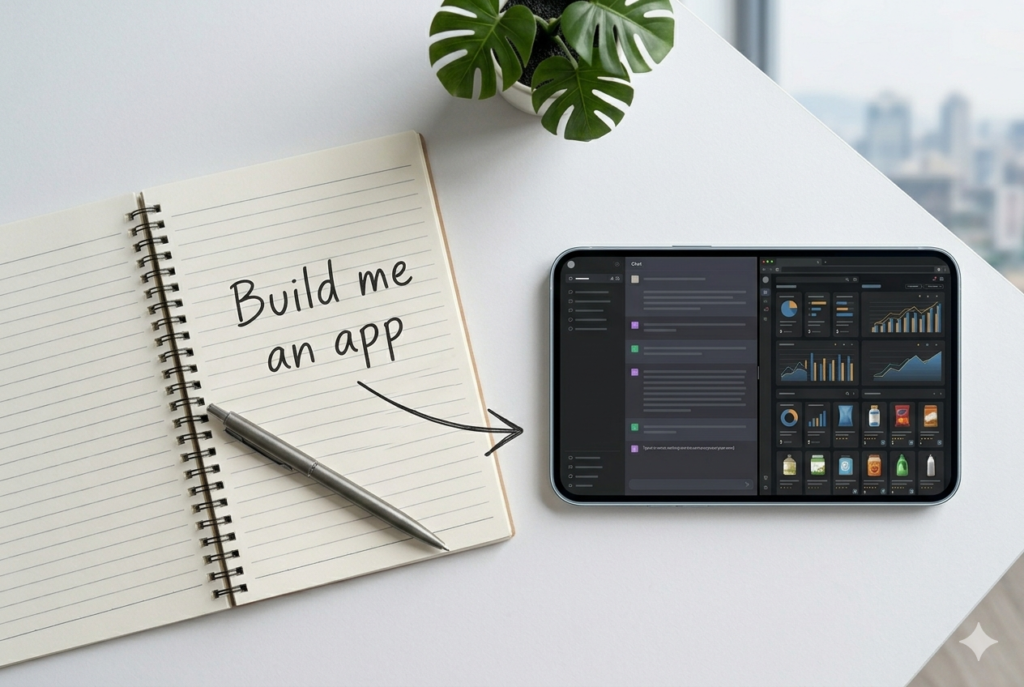
    You’ve probably seen it on LinkedIn or Twitter. Someone posts a video: they type a sentence into a box, hit enter, and — boom — a working app appears on screen. No terminal. No Stack Overflow. No three-hour debugging session.

    That’s vibe coding. And in 2026, it’s no longer a party trick.

    But before you close your laptop and tell your developer friend they’re out of a job, let’s slow down and actually understand what this is, how it works, and what it can — and can’t — do for you.


    What Is Vibe Coding, Exactly?

    The term was coined by OpenAI co-founder Andrej Karpathy in early 2025. The idea is simple: instead of writing code, you describe what you want in plain language, and an AI writes the code for you. You just… vibe with it.

    In practice, it looks like this:

    • You type: “Build me a landing page for my coffee subscription business with a sign-up form and pricing table.”
    • The AI generates the full code — HTML, CSS, JavaScript, maybe even a backend.
    • You click around, tweak things by describing what you want changed, and ship it.

    No syntax. No semicolons. No wondering whether the bug is on line 47 or line 48.


    Why Is Everyone Talking About It in 2026?

    Because it actually works now — at least for a lot of use cases.

    When platforms like Lovable, Cursor, and Bolt first appeared on top AI app lists back in 2025, they represented something genuinely new: AI products that didn’t just answer questions or generate media, but built things on the user’s behalf. That was agentic behaviour, scoped to a single vertical. A16z

    Fast forward to today, and the ecosystem has matured fast. Traffic across the top vibe coding platforms has continued growing — though the initial explosion has slowed — while revenue keeps climbing as developers and teams use them more intensively. A16z

    The bigger shift? It’s no longer just developers using these tools. Founders, marketers, and product managers are now spinning up prototypes without touching a code editor. That’s the part that’s actually new.


    The Biggest Vibe Coding Tools Right Now

    Here’s a quick breakdown of the main players you’ll hear about:

    ToolBest forFree tier?
    CursorDevelopers who want AI inside a real code editorYes
    LovableNon-developers building full web appsYes (limited)
    ReplitQuick prototypes, collaborative codingYes
    BoltFast front-end builds from a promptYes
    v0 (Vercel)UI components and React interfacesYes

    Replit and Lovable both feature in the top consumer AI apps list as of early 2026, alongside Claude Code (via Claude) — which tells you just how mainstream this category has become. A16z

    Most of these tools integrate with the latest frontier models. Windsurf, for example, currently tops the AI development tool rankings with features like side-by-side model comparison, parallel multi-agent sessions, and its Cascade AI agent — available from free up to $60/month. LogRocket


    What Can You Actually Build With Vibe Coding?

    This is the honest part. Vibe coding is genuinely powerful for:

    ✅ Things it handles well:

    • Landing pages and marketing sites
    • Simple web apps (to-do lists, calculators, booking forms)
    • Prototypes and MVPs to show investors or test ideas
    • Internal tools (dashboards, spreadsheet automations)
    • Brochure-style SaaS frontends

    ❌ Things where it still struggles:

    • Complex backend logic with lots of edge cases
    • Apps that need to handle real user data securely at scale
    • Anything requiring deep integration with legacy systems
    • Performance-critical applications

    The honest truth? In 2026, the industry is moving from flashy demos to targeted deployments — from agents that promise autonomy to ones that actually augment how people work. TechCrunch Vibe coding fits squarely in that story. It’s a real productivity multiplier, not a magic wand.


    What Does the Workflow Actually Look Like?

    Let’s walk through a realistic example. Say you want to build a simple waitlist page for a new product idea.

    Step 1 — Describe your idea You open Lovable (or Bolt, or v0) and type: “Create a clean waitlist landing page for a productivity app. Include a headline, a short description, an email signup form, and a ‘Join Waitlist’ button. Use a dark background with green accents.”

    Step 2 — Review what the AI builds Within seconds, a working page appears. You can see it rendered live.

    Step 3 — Iterate by talking You type: “Make the headline bigger. Move the form above the fold. Add a counter showing how many people have already joined.” The AI updates the code.

    Step 4 — Connect real functionality Most platforms let you connect a form to a service like Airtable, Notion, or a simple database — often with one click or another short prompt.

    Step 5 — Deploy Hit publish. Done.

    Total time: 20–30 minutes for someone with zero coding experience.


    Should You Learn to Code Anyway?

    Here’s the question people really want answered.

    The short answer: understanding the basics still helps — a lot. When something breaks (and it will), knowing roughly what’s happening under the hood means you can guide the AI to fix it instead of going around in circles.

    The bigger shift happening in 2026 is who gets to build. Business users — not just engineers — are now creating applications, with platforms allowing agent deployment in hours rather than months. Salesmate That’s a real change. But the people getting the most out of vibe coding tools tend to be those who understand what they’re asking for, even if they don’t know how to write it.

    Think of it like cooking with a very good sous chef. You don’t need to know every technique — but you do need to know what you want the dish to taste like.


    The Bottom Line

    Vibe coding in 2026 is real, useful, and accessible to almost anyone. If you have an idea for a simple app, a side project, or a prototype — there has never been a cheaper or faster time to try building it.

    The AI trends of early 2026 point to one clear conclusion: AI is no longer optional for staying competitive. The move from experimentation to production means companies that effectively integrate AI will gain a significant advantage. BuildEZ

    That goes for individuals too. You don’t need to become a developer overnight. You just need to start experimenting.

    Pick one tool from the list above, describe something you’ve always wanted to build, and see what comes back. You might surprise yourself.

    Have you tried any vibe coding tools yet? Which one are you curious about? Drop a comment below — we’d love to hear what you’re building.


    Want to go deeper? Check out our What Is Agentic AI? guide and our ChatGPT vs Claude vs Gemini(2026) to find the right tools for your workflow.

  • Who Controls the Chips Controls AI: Inside the 2026 Infrastructure War

    Who Controls the Chips Controls AI: Inside the 2026 Infrastructure War

    You’ve probably noticed the headlines lately. NVIDIA investing billions here. OpenAI shifting its CEO closer to infrastructure. Arm building its own chips. Musk getting into chip manufacturing.

    At first glance, it looks like a bunch of tech billionaires playing an expensive game of Monopoly.

    But here’s the thing — this is the AI race now. And understanding it could change how you think about every AI tool you use.


    It’s No Longer About the Model

    For a couple of years, the big competition in AI was simple: who can build the smartest model? GPT-4 vs Claude vs Gemini — a battle of benchmarks and capabilities.

    That era isn’t over, but it’s no longer the whole story.

    According to IBM’s chief architects, 2026 marks the point where AI models themselves are becoming a commodity. “It’s a buyer’s market,” as one IBM strategist put it — you can pick the model that fits your use case and be off to the races. The model is no longer the main differentiator. IBM

    So if not the model, then what? The answer is boring — and absolutely critical.

    Infrastructure.

    Chips. Power. Data centres. Capital. The physical backbone that makes AI run.


    The Three Fronts of the AI Infrastructure War

    1. The Chip Battle

    Every AI model — whether it’s answering your email or running an autonomous agent — needs chips to process information. Specifically, GPUs (Graphics Processing Units), which are extraordinarily good at the kind of maths AI requires.

    Right now, NVIDIA dominates this space. But that’s starting to change.

    Arm, long known purely as a chip designer rather than a manufacturer, has now unveiled its own AGI CPU built specifically for AI data centres — a major strategic shift. Early customers include Meta, OpenAI, Cloudflare, and Cerebras. Tech Startups

    Meanwhile, Elon Musk is moving into chip manufacturing to secure AI supply, while Micron is ramping spending to meet surging AI memory demand. WBN News

    The takeaway? Everyone wants to control their own silicon. Because whoever controls the chips controls the speed — and the cost — of AI.

    2. The Power Problem

    Here’s something that doesn’t get talked about enough: AI is hungry. Training a frontier model can consume as much electricity as tens of thousands of homes use in a year. Running millions of queries a day isn’t cheap either.

    AI-driven data centre cooling acquisitions are accelerating, next-generation AI chips are entering new development cycles, and large-scale AI factory and power infrastructure deals are emerging globally. WBN News

    This is why you’re seeing AI companies quietly buying up land near power stations, signing long-term energy deals, and even exploring nuclear power. The bottleneck isn’t brains — it’s electricity.

    3. The Capital Race

    None of this comes cheap. And the numbers being thrown around are staggering.

    NVIDIA recently announced a $2 billion investment in Nebius, a full-stack AI cloud company, as part of a strategic partnership to deploy over 5 gigawatts of NVIDIA systems by the end of 2030. NVIDIA Newsroom

    OpenAI has surpassed $25 billion in annualized revenue and is reportedly taking early steps toward a public listing, potentially as soon as late 2026. Rival Anthropic is approaching $19 billion in annualized revenue. Crescendo AI

    These aren’t just big numbers for the sake of it. They reflect a simple reality: building AI infrastructure at scale requires the kind of capital that only the largest players — or those backed by them — can access.


    Why This Matters to You (Even If You’re Not NVIDIA)

    “Okay,” you might be thinking, “this is interesting, but I’m not building data centres. Why should I care?”

    Fair question. Here’s why:

    The tools you use are only as good as the infrastructure behind them. When ChatGPT goes slow, when your cloud AI API hits rate limits, when costs suddenly spike — that’s the infrastructure layer showing through. As competition in this space heats up, you’ll start to see it affect pricing, availability, and which AI products survive.

    The AI you can afford will shift. IDC forecasts that 70% of organisations will prioritise aligning technology investments with measurable business outcomes when considering new AI infrastructure — and by 2028, 75% of enterprise AI workloads will operate on tailor-made hybrid infrastructures. FPT Software Translation: expect more customised, cost-optimised options to emerge as the infrastructure matures.

    The second wave is coming for small businesses. While AI infrastructure is tightening at the top, a second wave of AI tools is beginning to reach small-business operators directly — reshaping how companies compete, hire, and scale. WBN News


    The Big Picture: A Two-Tier AI World?

    Here’s the uncomfortable truth emerging from all this: AI might be splitting into two tiers.

    At the top — the hyperscalers. NVIDIA, Microsoft, Google, Amazon, OpenAI, Anthropic. These companies are locking in chips, power deals, and data centre capacity years in advance. Once locked in, it’s very hard for anyone else to catch up.

    At the bottom — everyone else, using the tools the top tier decides to offer, at the prices they decide to charge.

    As one analysis put it, the competitive edge in 2026 is increasingly tied to who can secure chips, power, and capacity fast enough to keep shipping — making frontier AI as much an industrial-scale operations challenge as a research challenge. Tech Startups

    That’s a significant shift from the early days of AI, when a small team with a good idea could genuinely compete.


    What to Watch in the Next 12 Months

    If you want to stay ahead, keep an eye on these developments:

    What to watchWhy it matters
    NVIDIA’s next chip generationSets the performance ceiling for all AI tools
    OpenAI’s IPO progressWill signal how the market values AI infrastructure
    Energy deals by big techPredicts where AI capacity will grow next
    Open-source model qualityOpen-weight models are now close to top closed models on many benchmarks ByteByteGo — could disrupt the infrastructure lock-in
    Government AI regulationThe U.S. is pushing toward a unified national AI framework, while China’s open-source AI is gaining strategic ground WBN News

    The Bottom Line

    The AI race in 2026 is being won and lost not in research labs, but in power grids, chip fabs, and boardrooms.

    That doesn’t mean smaller players are out of the game. It means the game has new rules — and knowing those rules is the first step to playing smart.

    Whether you’re a developer, a business owner, or just someone who uses AI tools every day, the infrastructure war will quietly shape what’s possible for you. Paying attention now means fewer surprises later.

    Which part of the AI infrastructure story do you find most surprising? Drop a comment below — we’d love to know what you’re watching.


    Want to go deeper? Check out our guide on [AI cloud providers compared] and [how agentic AI is changing workflows in 2026].

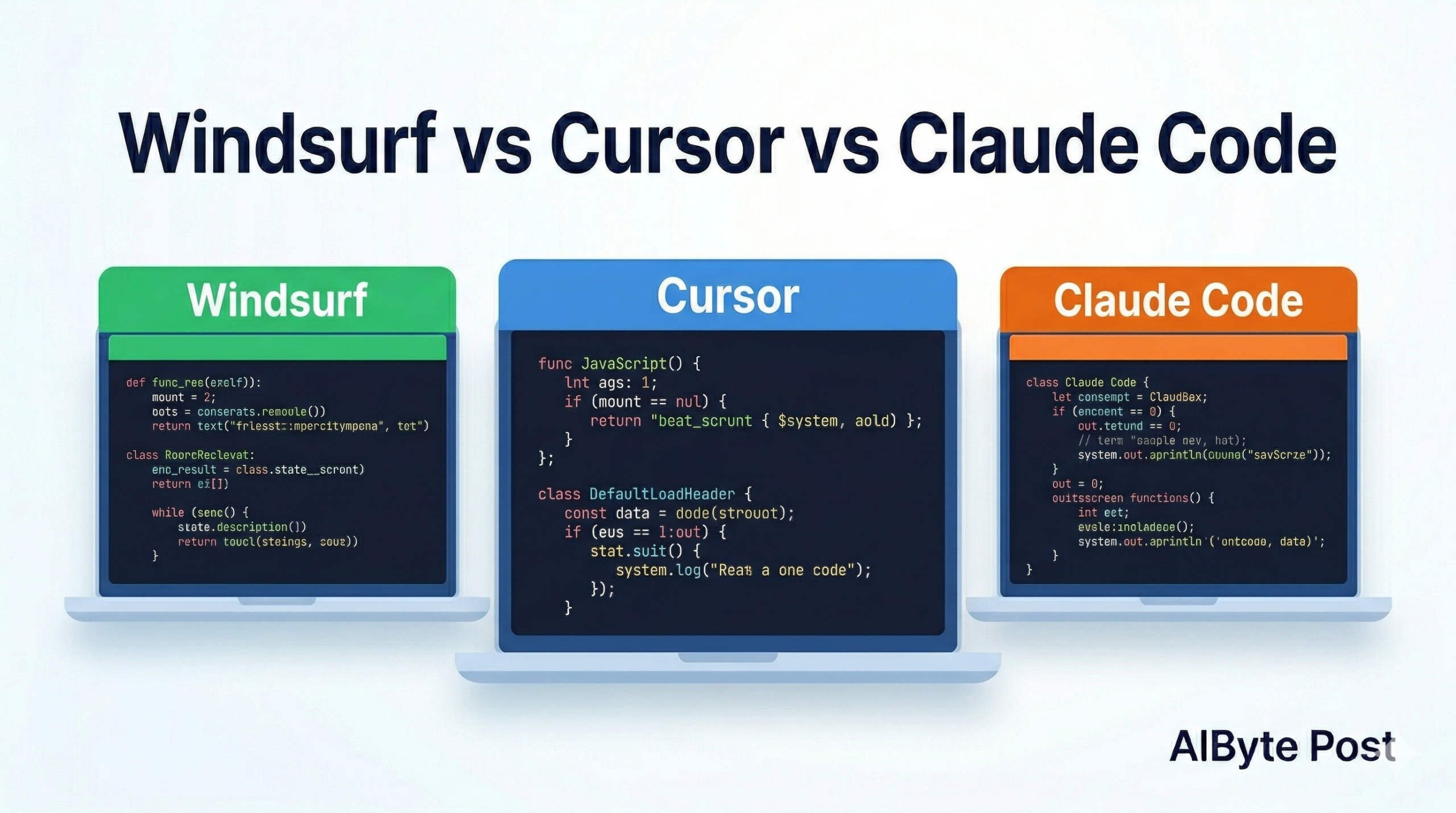
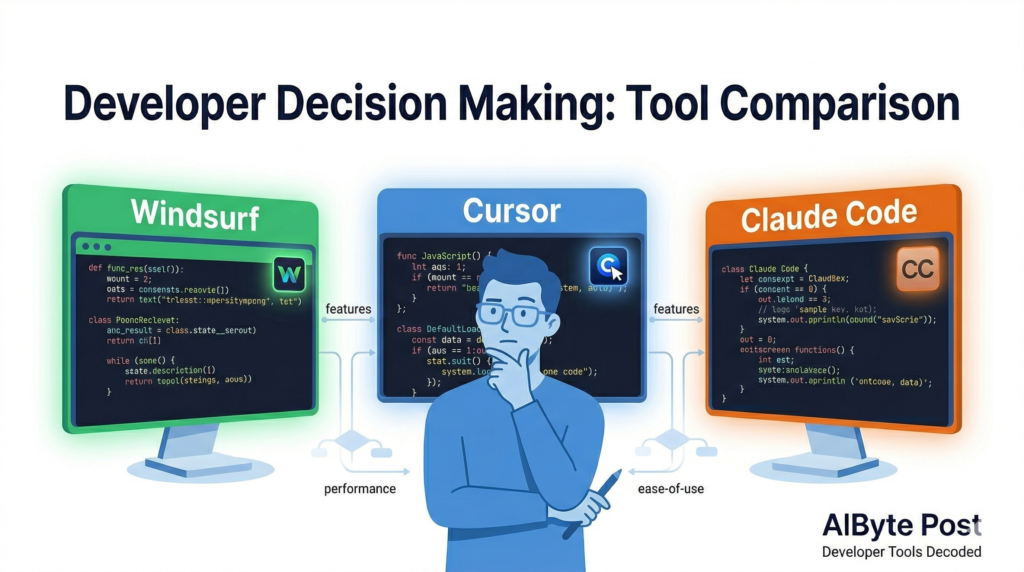
  • Windsurf vs Cursor vs Claude Code: Which AI Coding Tool Is Right for You? (2026)

    Windsurf vs Cursor vs Claude Code: Which AI Coding Tool Is Right for You? (2026)

    If you’ve been paying attention to the developer world lately, you’ve noticed something: AI coding tools are evolving fast — and the competition is getting fierce.

    Windsurf just reclaimed the top spot in March 2026 power rankings. Cursor is still a favourite among indie developers. And Claude Code is quietly becoming the go-to for teams that need serious, long-context coding power.

    So which one should you actually use?

    In this guide, we compare all three across the things that matter most — features, pricing, performance, and real-world use cases — so you can stop second-guessing and start shipping.


    Quick Comparison: Windsurf vs Cursor vs Claude Code

    WindsurfCursorClaude Code
    Best forTeams & power usersSolo devs & indie hackersComplex, long-context tasks
    PricingFree – $60/moFree – $40/mo$20 – $200/mo
    IDEBuilt-in IDEVS Code forkTerminal / CLI
    Multi-agent✅ Yes✅ Yes✅ Yes
    Context windowLargeLarge1M tokens (beta)
    Top AI modelsClaude Opus 4.6, GPT-5Claude, GPT-5Claude Opus 4.6
    Standout featureArena Mode + Plan ModeSpeed & simplicityDeepest code reasoning

    Windsurf — The Full-Stack AI IDE

    Windsurf has held the number one spot in AI dev tool rankings for a reason. It’s not just an AI assistant bolted onto an editor — it’s a complete development environment built around AI from the ground up.

    What makes it stand out

    Arena Mode is one of the most useful features you’ll find in any AI coding tool right now. It lets you run two AI models side-by-side with hidden identities, then vote on which one gave the better result. Over time, this helps you figure out which model actually works best for your specific codebase and workflow — not just which one scores highest on benchmarks.

    Plan Mode adds another layer on top: before generating code, Windsurf plans the task. It breaks down what it’s going to do, checks dependencies, and maps out the approach. This means far fewer surprises mid-generation.

    Parallel multi-agent sessions let you run multiple tasks at once using Git worktrees, so you’re not waiting for one job to finish before starting the next.

    Who should use Windsurf

    Windsurf is the best choice if you:

    • Work in a team and need collaborative editing
    • Want to compare AI models before committing to one
    • Are building complex, multi-file features
    • Want live preview built directly into your IDE

    Pricing

    • Free — Core IDE features, limited AI usage
    • Pro ($20/mo) — Full AI access, multi-agent sessions
    • Teams ($60/mo) — Collaborative features, admin controls

    Cursor — The Developer Favourite

    Cursor is the tool that quietly converted thousands of developers away from their beloved VS Code setups — and for good reason. It feels familiar (it’s built on VS Code), loads fast, and the AI assistance feels genuinely integrated rather than tacked on.

    What makes it stand out

    Cursor’s biggest strength is how quickly it feels natural. If you already live in VS Code, switching to Cursor takes about ten minutes. The Tab autocomplete is consistently praised as the best in class — it predicts not just the next line but multi-line completions that actually make sense in context.

    The Composer feature (Cursor’s equivalent of an agent mode) lets you describe a feature and have it make changes across multiple files simultaneously. It’s fast, and it handles the “I know what I want but I don’t want to click through ten files” problem extremely well.

    Cursor also supports a wide range of models — Claude, GPT-5, Gemini, and more — so you’re not locked into one provider.

    Who should use Cursor

    Cursor is the best choice if you:

    • Are a solo developer or work in a small team
    • Already use VS Code and want a smooth transition
    • Value speed and responsiveness above all else
    • Want strong autocomplete day-to-day

    Pricing

    • Free — 2,000 completions/mo, limited Composer
    • Pro ($20/mo) — Unlimited completions, full Composer, priority access
    • Business ($40/mo) — Team management, SSO, usage analytics

    Claude Code — The Deep Thinker

    Claude Code is different from the other two. It doesn’t live in a GUI — it runs in your terminal as a command-line tool. That might sound like a step backwards, but for certain use cases, it’s actually a significant advantage.

    What makes it stand out

    The key is context. Claude Code is powered by Claude Opus 4.6, which has a 1 million token context window in beta. In practice, that means it can hold your entire codebase in memory while working — not just the file you’re looking at, but all the related files, the test suite, the documentation, the git history.

    For complex refactoring, debugging across large codebases, or understanding how a change in one module affects everything else, this context depth is genuinely unmatched.

    Claude Code also handles multi-step agentic tasks extremely well. You can describe a goal — “add authentication to this API, write the tests, and update the docs” — and it will work through all of it, checking in when it needs clarification rather than making assumptions.

    Who should use Claude Code

    Claude Code is the best choice if you:

    • Work on large, complex codebases
    • Need deep reasoning across many files at once
    • Are comfortable working in the terminal
    • Do a lot of refactoring or architecture work

    Pricing

    • Standard ($20/mo) — Access via Claude Pro subscription
    • Heavy usage ($200/mo) — For teams with high daily usage via API

    Head-to-Head: 3 Real Scenarios

    Scenario 1: “I need to ship a new feature by end of day”

    Winner: Cursor Fast autocomplete and multi-file Composer make rapid feature development feel smooth. The VS Code familiarity means zero context-switching cost.

    Scenario 2: “I’m debugging a gnarly issue across 15 files”

    Winner: Claude Code The 1M token context window means it can actually understand the full scope of the problem. It won’t lose track of what it found in file 3 by the time it’s looking at file 12.

    Scenario 3: “My team needs to collaborate on AI-assisted code”

    Winner: Windsurf Collaborative editing, Plan Mode for predictable output, and Arena Mode for model comparison make it the strongest choice for team environments.


    What About Codex?

    Worth a quick mention: OpenAI’s Codex re-entered the top five AI dev tools in March 2026. Unlike the tools above, Codex runs entirely in cloud sandboxes — it has no local IDE component at all. It handles feature implementation, bug fixes, and test generation in parallel, with deep GitHub integration and automatic PR creation.

    If your team is already deep in the OpenAI and GitHub ecosystem, Codex is worth evaluating alongside Cursor. For everyone else, the three tools above cover most scenarios better.


    The Bottom Line: Which One Should You Use?

    There’s no single “best” AI coding tool in 2026 — it depends on how you work.

    • Pick Windsurf if you want a full IDE experience with the most advanced team and multi-agent features.
    • Pick Cursor if you want the smoothest, fastest day-to-day coding experience with minimal setup.
    • Pick Claude Code if you work on large, complex codebases and need the deepest reasoning and context available.

    And honestly? Many developers are using two of these together. Cursor for day-to-day coding, Claude Code for the hard problems. There’s nothing wrong with that approach.

    Which AI coding tool are you using right now — and what’s made you stick with it? Drop a comment below, we’d love to know!


    Related reading: What Is Agentic AI? The Beginner’s Guide — understand the technology powering all of these tools.

    Bookmark this page — we update our tool comparisons every quarter as the landscape shifts.

  • What Is Agentic AI? (And Why Everyone’s Talking About It in 2026)

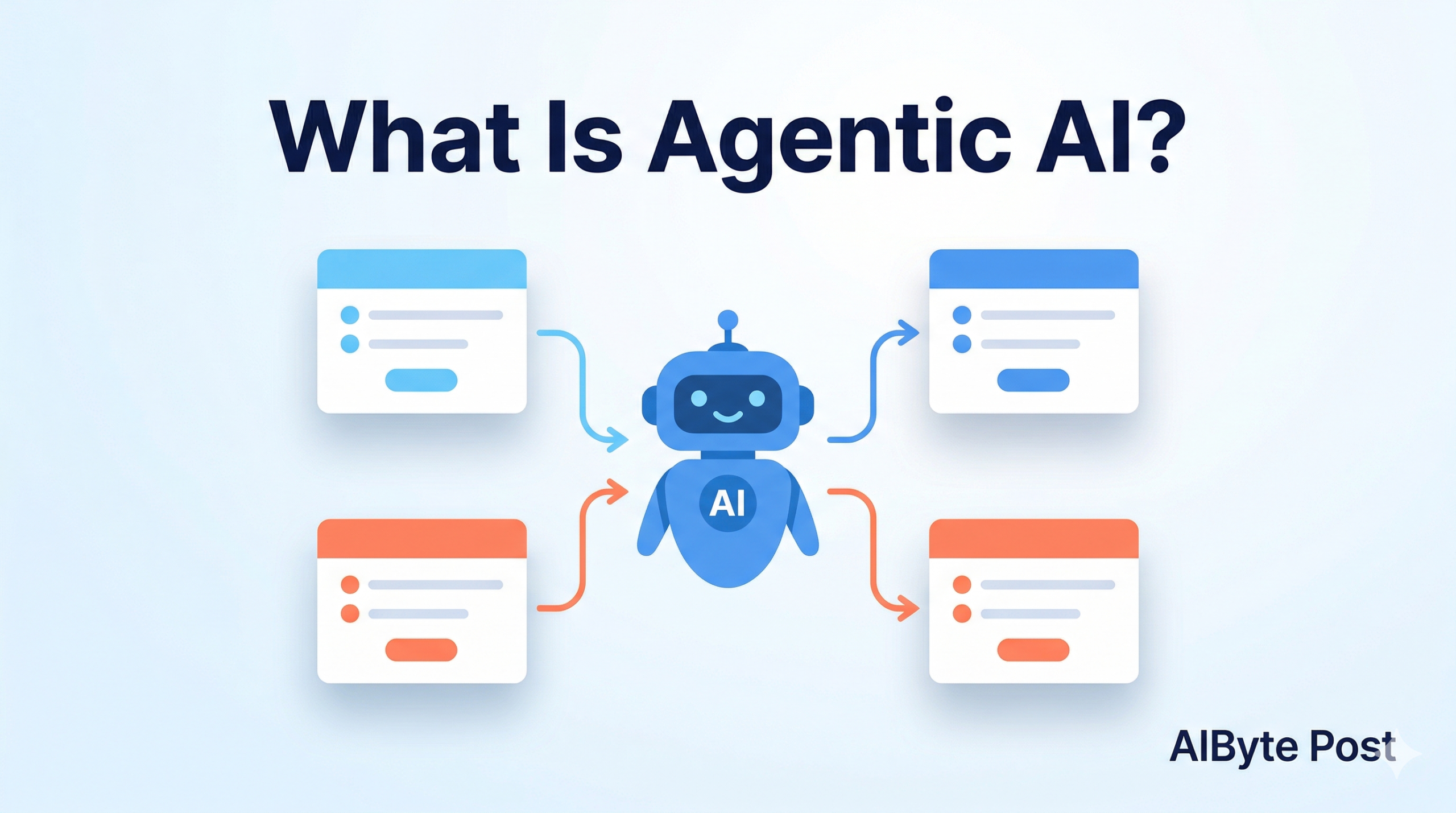
    What Is Agentic AI? (And Why Everyone’s Talking About It in 2026)


    You’ve probably seen the phrase “agentic AI” popping up everywhere lately. Google Cloud just published a major report on it. NVIDIA built an entire open-source toolkit around it. And OpenAI’s latest model, GPT-5.4, was specifically designed to power it.

    But if you’re thinking “I still don’t really know what that means” — you’re not alone.

    This guide cuts through the hype and explains agentic AI in plain English: what it is, how it’s different from regular AI, and why it actually matters for you — whether you’re a curious beginner, a developer, or a business owner.


    So, What Is Agentic AI?

    Let’s start simple.

    The AI most people know — like asking ChatGPT a question and getting an answer — is what you could call reactive AI. You prompt it, it responds. It waits for you to do something first, every single time.

    Agentic AI is different. An AI “agent” can take a goal, break it into steps, and then go do those steps on its own — across multiple tools, apps, and environments — without you hand-holding it through each one.

    Think of it like the difference between a calculator and a personal assistant.

    • A calculator waits for you to type in numbers.
    • A personal assistant can say: “I’ll research the options, book the meeting, and send the follow-up email — check back in an hour.”

    Agentic AI is closer to that second one.


    A Simple Real-World Example

    Say you ask an agentic AI: “Research the top 5 competitors in my market, summarise their pricing, and put it in a spreadsheet.”

    A standard chatbot would give you some text. Maybe a list.

    An agentic AI would:

    1. Search the web for competitor data
    2. Visit several websites to pull pricing info
    3. Organise that data
    4. Open (or create) a spreadsheet
    5. Fill it in — and maybe even email it to you

    All of that, with one instruction. That’s the leap we’re talking about.


    Why Is Everyone Talking About It Right Now?

    Agentic AI isn’t brand new as a concept — but 2026 is the year it’s gone from research labs into real products.

    Here’s why the timing matters:

    What ChangedWhy It Matters
    Models got smarter at multi-step reasoningAgents can now plan, not just react
    Context windows expanded (1M tokens in some models)Agents can hold more information while working
    Tool-use APIs maturedAgents can reliably call external apps and services
    Cloud infrastructure scaled upRunning agents at scale is now affordable

    Google Cloud’s 2026 AI Agent Trends Report put it bluntly: “The era of simple prompts is over.” And with NVIDIA’s Agent Toolkit now available to enterprise developers — and adopted by companies like Adobe, SAP, and Salesforce — the building blocks are finally in place.


    What Can Agentic AI Actually Do?

    Here are some of the most common real-world applications right now:

    🔍 Research & Analysis

    An agent can browse the web, read documents, compare data, and produce a summarised report — in the time it takes you to make a coffee.

    💻 Software Development

    Coding agents like those in Cursor or Claude Code can plan a feature, write the code, run tests, fix bugs, and submit a pull request — largely on their own.

    📧 Workflow Automation

    Connect an agent to your email, calendar, and CRM. It can triage messages, schedule meetings, update records, and follow up on leads — all without you clicking through each step.

    🛍️ E-commerce Operations

    Platforms like Picsart now offer AI agent marketplaces where agents can resize images, edit product photos, analyse trends, and optimise your store listings automatically.

    📊 Business Intelligence

    Give an agent access to your data and it can generate weekly reports, flag anomalies, and even recommend actions — not just show you charts.


    Agentic AI vs. Regular AI: A Quick Comparison

    FeatureRegular AI (Chatbot)Agentic AI
    Waits for a prompt✅ Always✅ To start, then works independently
    Executes multi-step tasks
    Uses external tools/apps❌ Rarely✅ Yes
    Makes decisions mid-task
    Can run in the background

    Should You Be Worried About Agentic AI?

    Fair question. When you hear “AI that acts independently,” it’s natural to feel a little uncertain.

    The good news: most agentic AI systems today are designed with what’s called configurable autonomy — meaning you decide how much independence the agent has. You can set it to ask for approval before taking certain actions, or keep humans in the loop at key checkpoints.

    The more realistic concern right now isn’t sci-fi stuff. It’s about accuracy and trust — making sure the agent does the task correctly, doesn’t hallucinate data, and uses the right sources. That’s an active area of development, and it’s why teams at NVIDIA, Google, and Anthropic are all investing heavily in agent safety and reliability.

    As with any tool, the key is understanding what it does well — and where you still want a human to stay in charge.


    How to Get Started With Agentic AI (Even If You’re Non-Technical)

    You don’t need to be a developer to try this. Several tools now give you agentic capabilities through simple interfaces:

    • Notion AI — can now handle research, summarisation, and task automation inside your workspace
    • Zapier’s AI features — connect apps and let AI decide how to route and process tasks
    • ChatGPT (with tools enabled) — can browse, run code, and work across files in a single session
    • Claude (with Projects) — maintains context across long tasks with file and tool access

    If you want to go deeper, tools like Zapier, Notion AI, and Claude are great starting points — no coding required, and you can have your first agent running in under an hour.


    The Bottom Line

    Agentic AI is the shift from AI as a tool you use to AI as a collaborator that works alongside you.

    It’s not perfect yet. It’s not magic. But in 2026, it’s genuinely useful — and getting more capable every month.

    Whether you’re curious about what this means for your job, your business, or just want to stay informed, now is the perfect time to start paying attention to agentic AI.

    Which part of agentic AI are you most curious about — the business side, the technical side, or just how to use it day-to-day? Drop a comment below and let us know!


    Published on AIByte Post — “Cloud AI, Made Simple” | aibytepost.com


  • ChatGPT vs Claude vs Gemini: The Ultimate Comparison Guide (2026)

    ChatGPT vs Claude vs Gemini: The Ultimate Comparison Guide (2026)

    Introduction

    Choosing the right AI assistant in 2026 feels overwhelming. ChatGPT, Claude, and Gemini each promise to be the smartest tool in the room — but which one actually delivers for your needs?

    In this guide, we cut through the hype and compare all three across the metrics that actually matter: writing quality, coding ability, reasoning, pricing, and real-world use cases.


    Quick Comparison Table

    FeatureChatGPT (GPT-4o)Claude (Sonnet 4.6)Gemini (2.0)
    Best forVersatilityWriting & reasoningGoogle integration
    Free plan✅ Limited✅ Limited✅ Limited
    Paid plan$20/mo$20/mo$20/mo
    Context window128K tokens200K tokens1M tokens
    Image generation
    Code generation⭐⭐⭐⭐⭐⭐⭐⭐⭐⭐⭐⭐⭐
    Writing quality⭐⭐⭐⭐⭐⭐⭐⭐⭐⭐⭐⭐⭐

    ChatGPT: The Versatile All-Rounder

    ChatGPT remains the most widely used AI assistant globally. Its biggest strength is versatility — it handles everything from casual conversation to complex coding tasks with ease. The GPT-4o model added native image generation, making it the go-to choice for creative professionals who need both text and visuals in one tool.

    However, ChatGPT’s context window (128K tokens) is smaller than competitors, which can be a limitation when working with large documents or lengthy codebases.

    Best for: General use, image generation, plugin ecosystem


    Claude: The Writing and Reasoning Champion

    Claude by Anthropic has quietly become the favourite among writers, researchers, and developers who prioritize output quality over raw speed. Its 200K context window means you can feed it entire books, legal documents, or large codebases without losing context.

    Where Claude truly shines is in nuanced reasoning and long-form writing. Responses feel more natural and less robotic than competitors, making it ideal for blog writing — which is exactly why we use it to power aibytepost.com.

    Best for: Long-form writing, complex reasoning, large document analysis


    Gemini: The Google Ecosystem Powerhouse

    Google’s Gemini 2.0 brings one major advantage no competitor can match: deep integration with Google’s entire ecosystem. Gmail, Google Docs, Google Search — Gemini connects them all seamlessly. Its 1M token context window is the largest of the three, making it unbeatable for processing massive datasets.

    The trade-off is consistency. While Gemini can be spectacular on certain tasks, it occasionally produces less polished output compared to Claude on writing-heavy work.

    Best for: Google Workspace users, massive document processing, multimodal tasks


    Which One Should You Choose?

    • 👉 Casual everyday use → ChatGPT Free
    • 👉 Writing, blogging, research → Claude Pro
    • 👉 Google Workspace power user → Gemini Advanced
    • 👉 Developer / coder → Claude (best code quality in 2026)
    • 👉 Budget-conscious → All three offer solid free tiers

    Conclusion

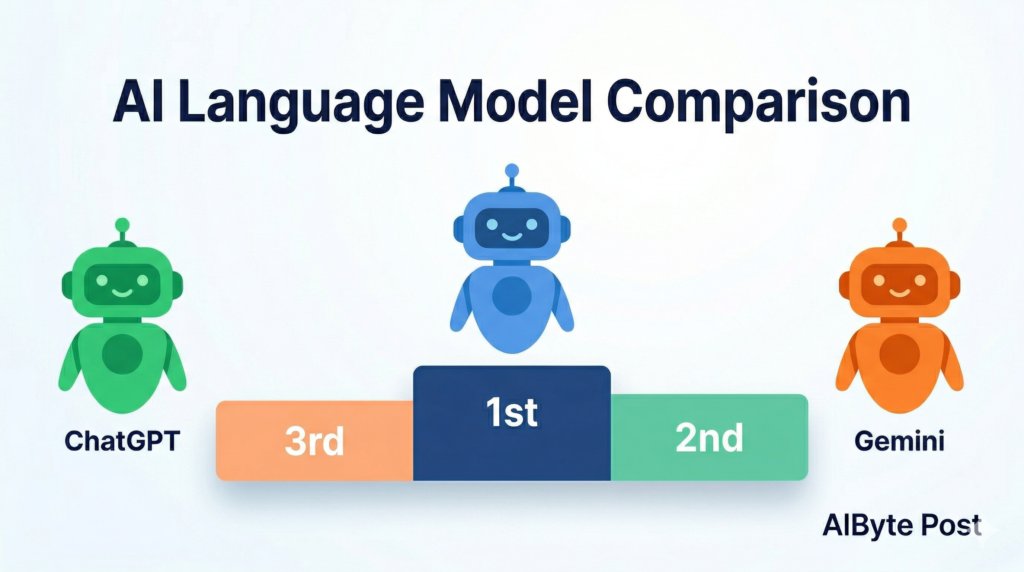
    There’s no single “best” AI in 2026 — it depends entirely on your workflow. That said, Claude edges ahead for writing and reasoning tasks, ChatGPT wins on versatility and image generation, and Gemini dominates within the Google ecosystem.

    At aibytepost.com, we use all three regularly and will keep you updated as these tools evolve. Bookmark this page — we update it every quarter.


    CTA: Which AI do you use daily? Drop a comment below — we’d love to hear your experience!